Portable technical documents

Beautiful docs.
Editable source.

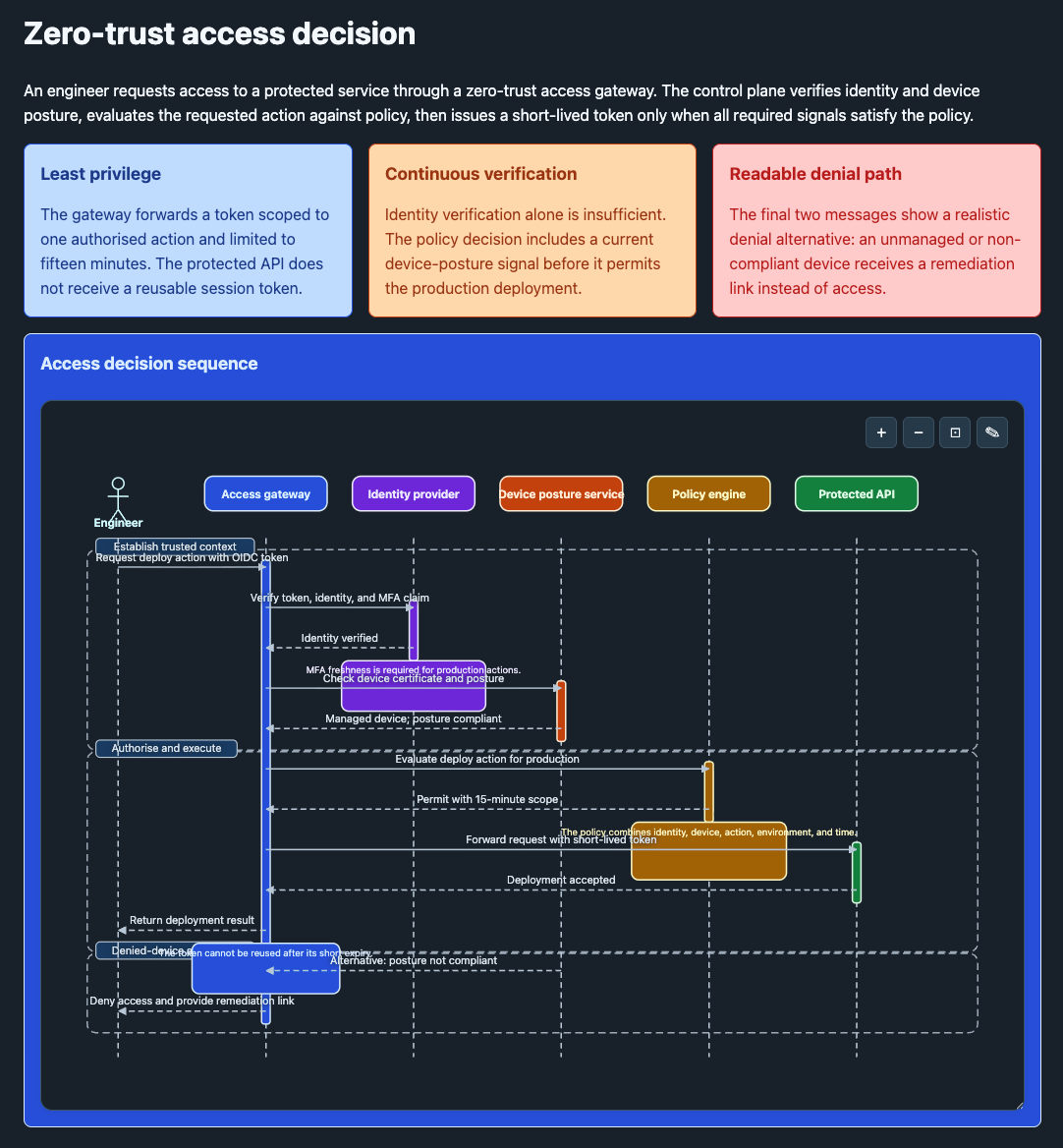
Agents produce polished technical documents that remain readable, reviewable, and editable.

  • Familiar Markdown and YAML remain inside the file
  • Flowcharts and sequence diagrams with automatic layout
  • One portable HTML file that uses a hosted runtime by default or embeds it for offline use
  • Built-in source and flowchart editors that run in the browser
  • A documented authoring contract for agents to write and check
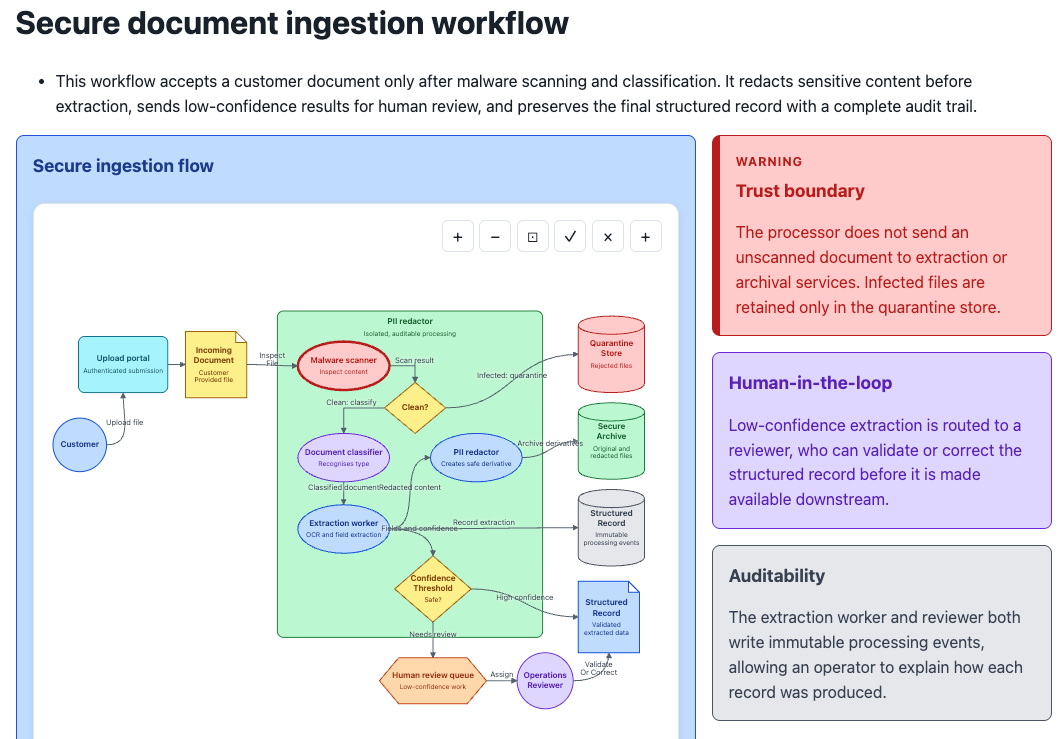
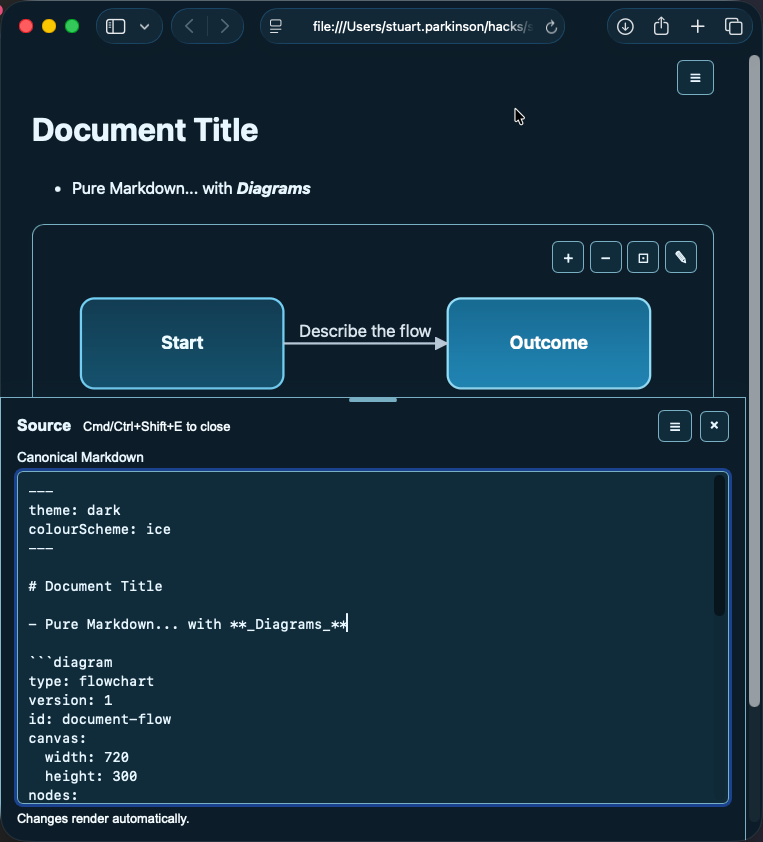
A Skryb document open in a browser: a rendered title, Markdown bullet, and styled flowchart above the source tray showing the canonical Markdown and diagram YAML that produced them
One portable HTML fileSource, diagrams, and saved edits travel together. A normal document loads the hosted runtime; the offline save option embeds it for use without a network.
Editable diagramsExplicit YAML provides deterministic layout. Browser edits update that source, ready for the next save.
Text and vector outputThe canonical source remains readable, and diagrams remain editable SVG rather than static images.
One format, two good experiences

Structured for agents. Comfortable for people.

Skryb keeps the authored source simple without making the finished document look like source code. The same file carries both.

For readers and editors

A document that remains editable

  • Rich structure: nested sections, responsive panels, callouts, tables, code, flowcharts, and sequence diagrams
  • Built-in editing: change the Markdown source or drag, resize, restyle, and reconnect flowchart elements
  • Made to read: light and dark themes, five colour schemes, centred or full-width layouts, and full-window diagrams
  • Made to travel: save a small hosted copy, embed the runtime for true offline use, or print the whole document to PDF
For authoring agents

A format they can produce and verify

  • Known primitives: supported Markdown, formatting directives, and explicit, human-readable YAML
  • Versioned guidance: an installable skill and complete schema reference keep generated documents on-contract
  • Automatic geometry: layout places nodes, derives connectors, routes around obstacles, and supports deliberate relayout
  • Document checks: lint reports overlapping nodes and labels, edges that cross unrelated nodes, label overflow, and unbalanced aspect ratios
See it work

Read and edit in the browser.

The open document provides source editing, flowchart editing, themes, checking, saving, and printing. No separate diagram tool is required.

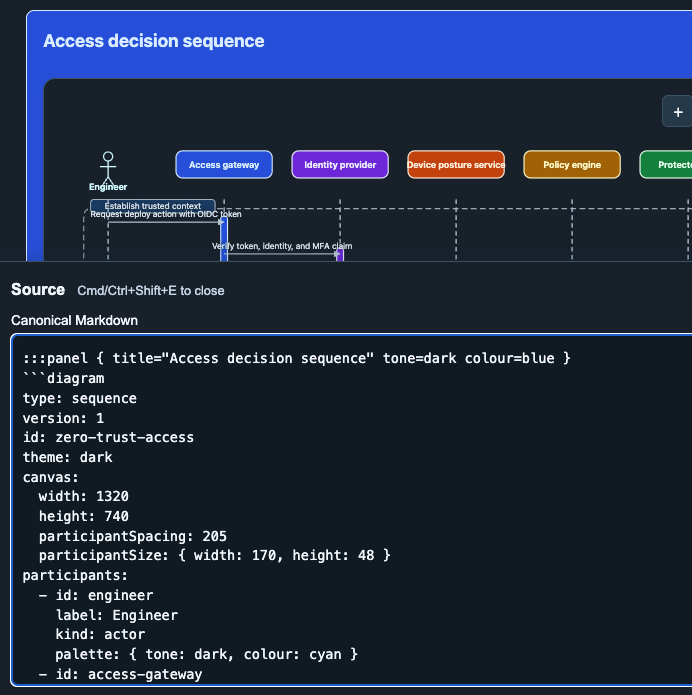
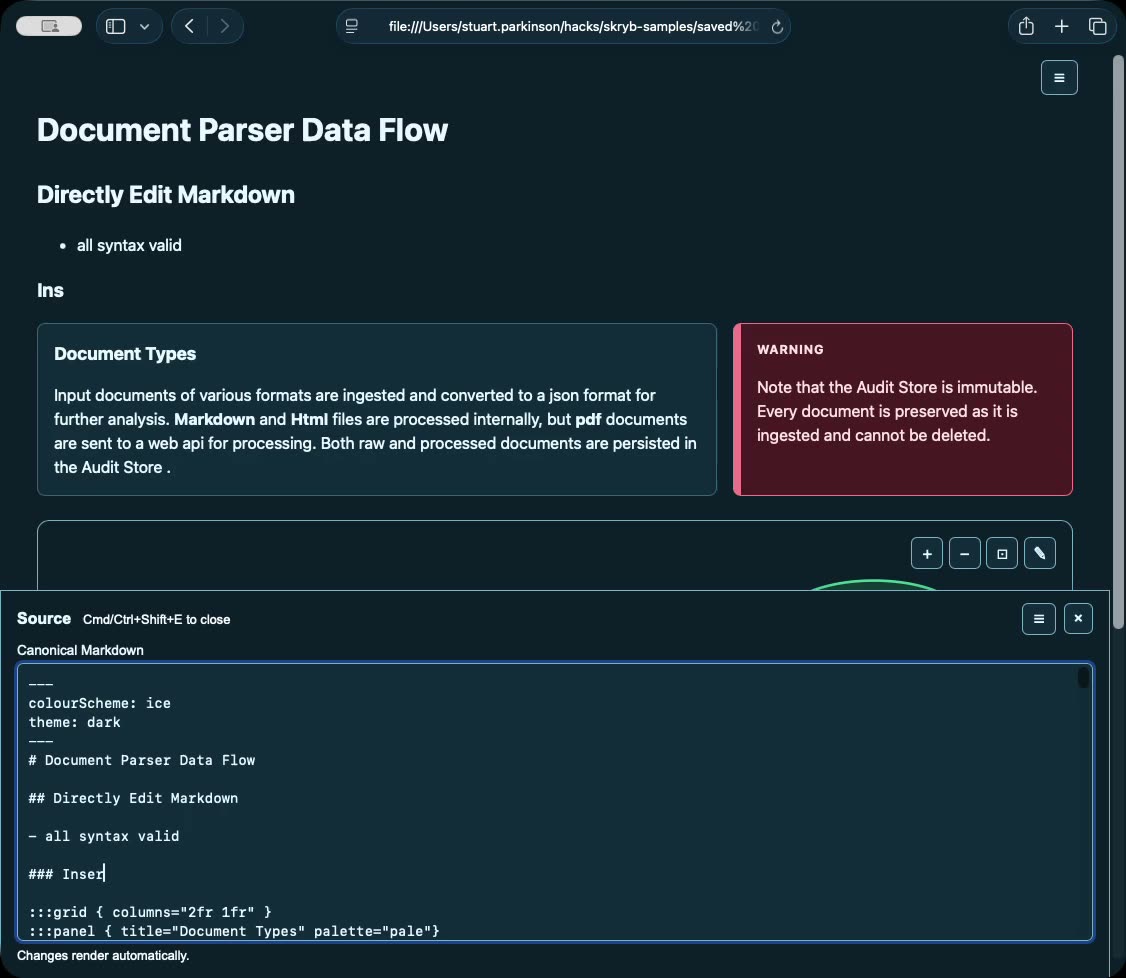
The Skryb source tray open beneath a rendered document, showing the canonical Markdown being edited
Readable source

Edit the canonical content

Press Cmd/Ctrl+Shift+E to open the source tray. The source uses familiar Markdown, documented formatting directives, YAML frontmatter, and diagram definitions. The rendered document updates as the source changes.

  • The canonical Markdown is stored directly in the HTML file
  • Text source produces readable version-control diffs
  • Headings, prose, tables, code, and diagram definitions remain editable
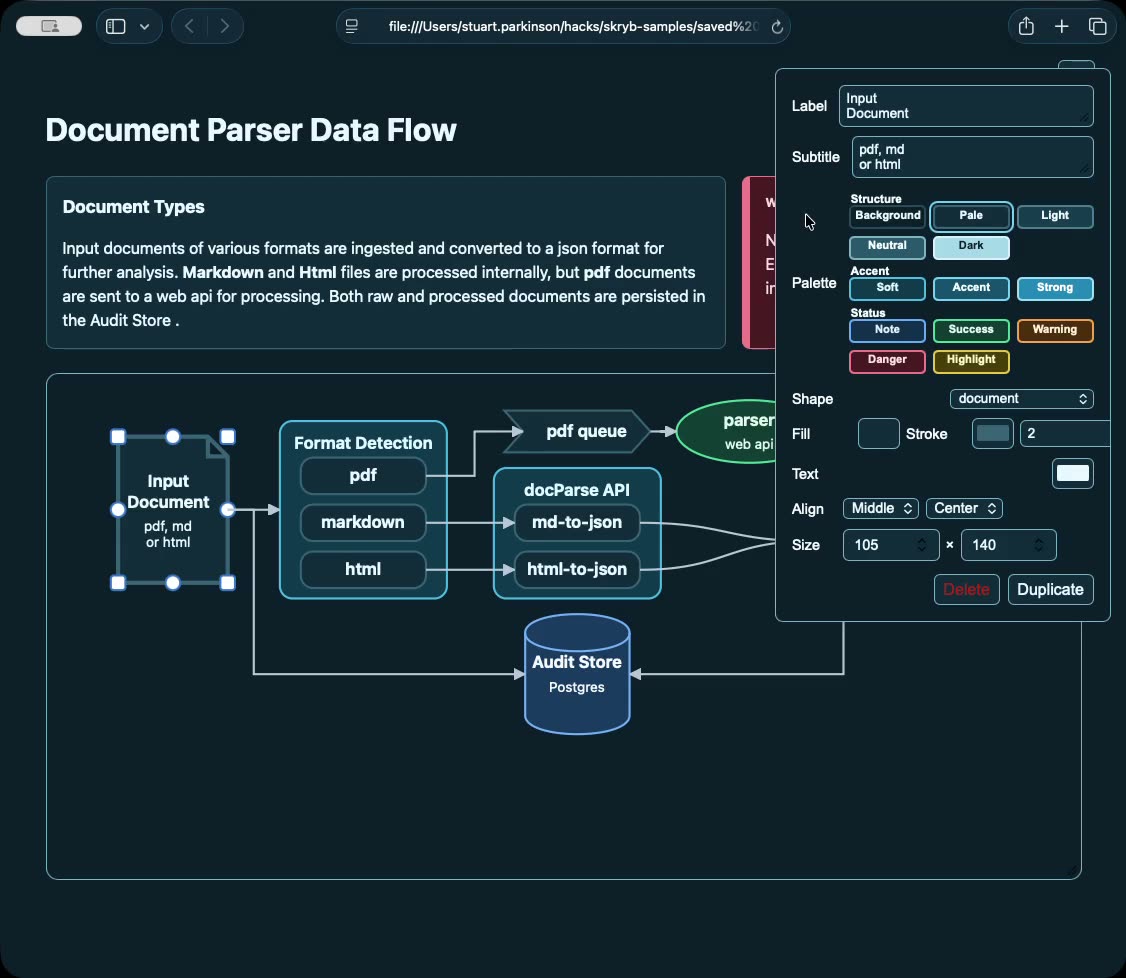
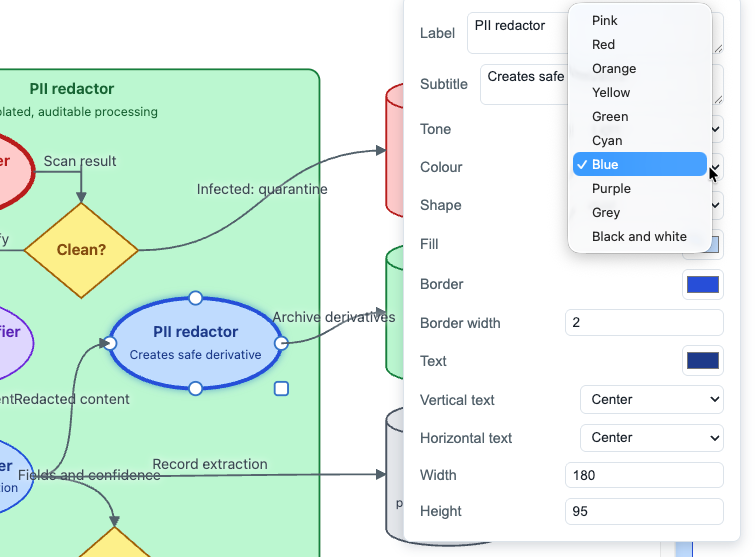
The Skryb diagram inspector open beside a selected flowchart node, showing label, palette, shape, fill, alignment and size controls
Built-in diagram editor

Control layout and presentation

Select a node to edit its label, subtitle, shape, palette, status colour, explicit colours, alignment, and size. Drag to reposition or resize it, duplicate it, and connect it to other nodes.

  • Each change updates the diagram YAML in the loaded document
  • Semantic palettes and statuses keep presentation consistent
  • The diagram remains editable without a separate drawing application
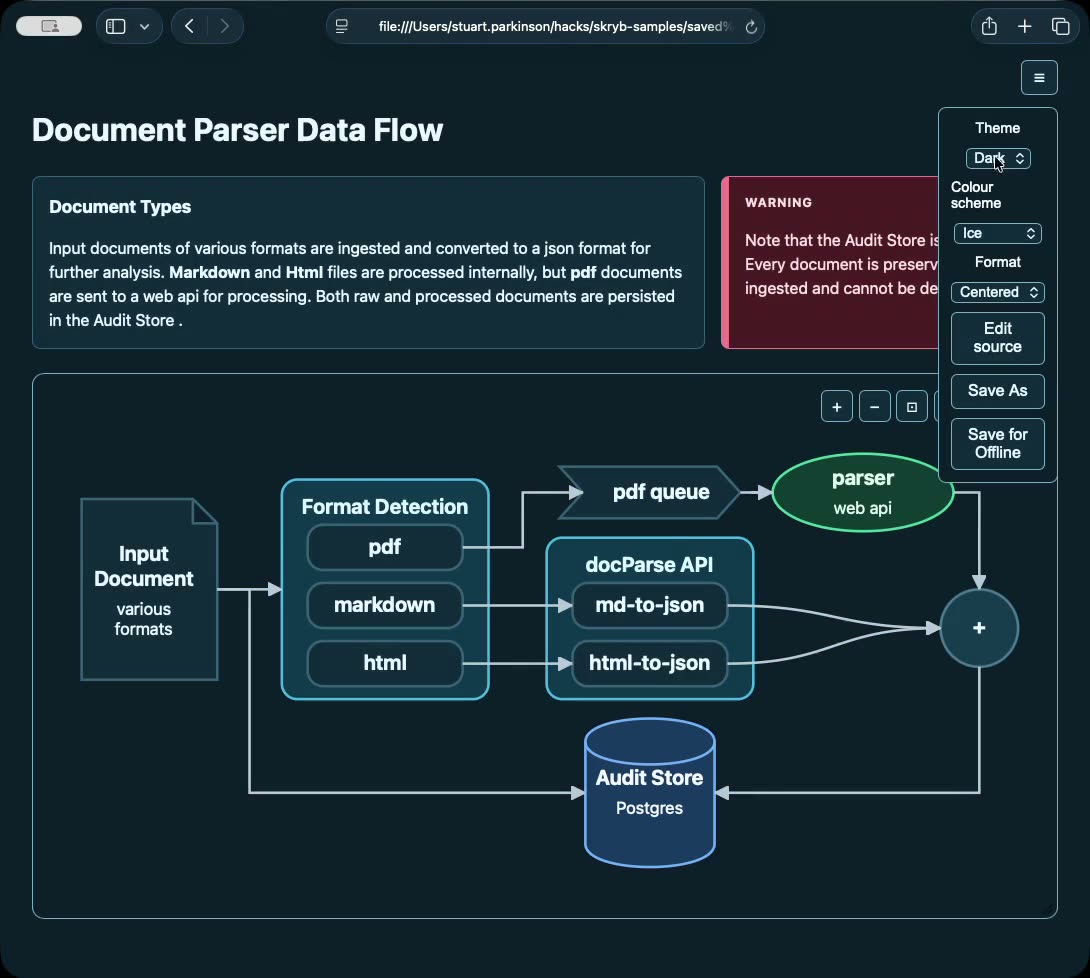
The Skryb document menu open, showing theme, colour scheme, format, and save options beside a dark-themed document
Themes and colour schemes

Choose a theme and colour scheme

The document menu switches theme between auto, light, and dark, and selects classic, fire, ice, midnight, or paper. Prose, callouts, and diagrams use the same selection.

  • Live SVG diagrams use the document theme
  • auto follows the reader's system preference
  • A menu change becomes canonical frontmatter when you save
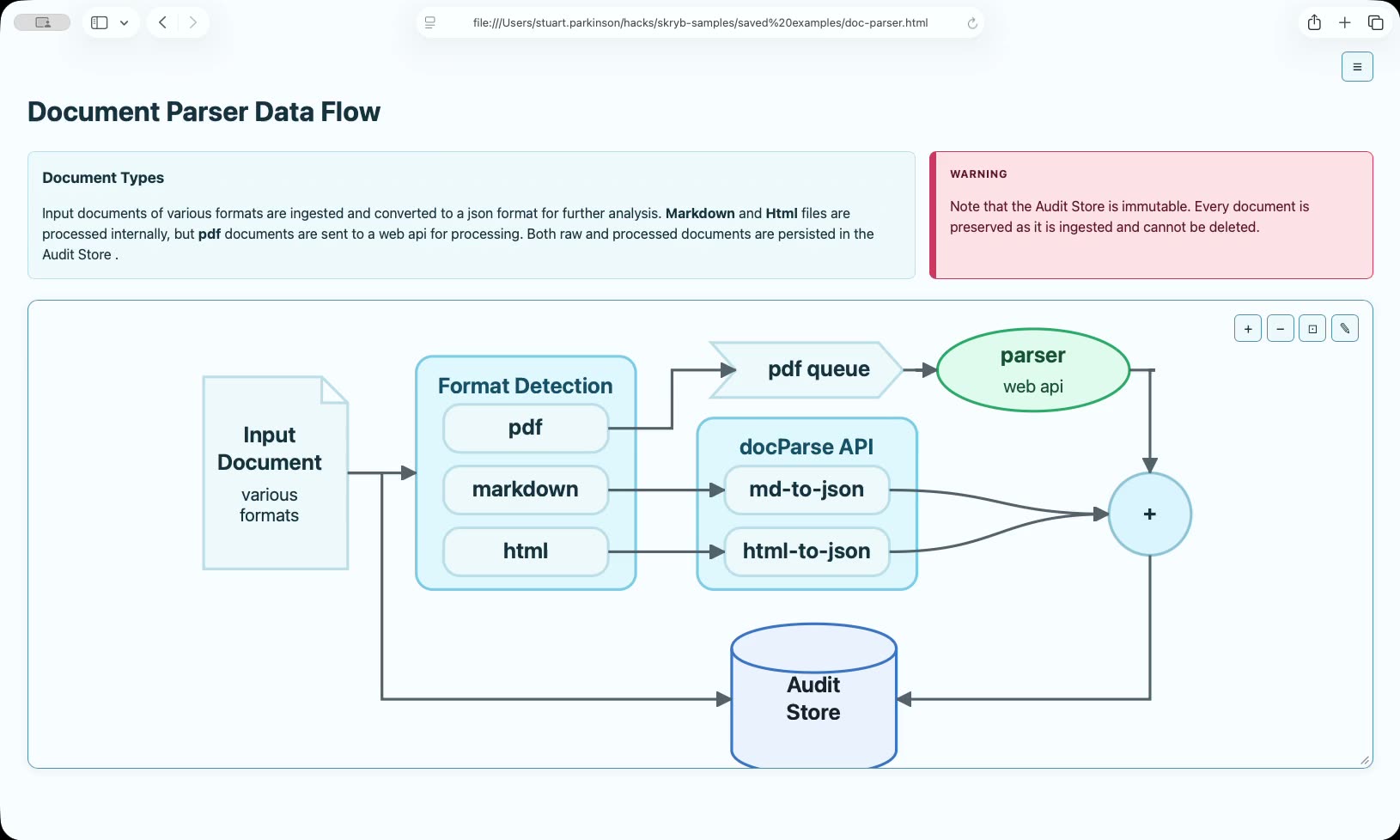
A Skryb document in full-width layout with a large flowchart zoomed to fit its frame
Big diagrams, small screens

Inspect large diagrams

Switch to full-width layout, then zoom in, zoom out, or fit a diagram to its frame. Vector rendering keeps labels and shapes sharp at each zoom level without changing the surrounding document.

  • Centred or full-width layout, switched as you read
  • Sharp on a laptop, a 4K monitor, or in print
  • Panning is visual only - stored coordinates stay untouched
Why it matters

Documentation teams can maintain.

Skryb keeps agent-authored content and diagrams editable after delivery, using readable source and documented browser tools.

Make direct corrections

Fix source content in the editor or adjust a flowchart on the canvas. The original agent, context, and environment are not required.

Keep it in version control

The canonical content is text: Markdown and YAML inside one HTML file. This produces readable diffs and supports normal review and history.

Choose how to share it

Save As creates a small document that uses the hosted runtime. Save for Offline embeds the selected runtime so the document works without a network. Print / Save as PDF prints the complete document.

Simple for agents to produce

Agents write supported Markdown and explicit diagram YAML without generating images or calling a rendering service. Install the skill to provide the authoring contract.

Check before hand-off

Automatic layout places nodes, derives connector geometry, and wraps node labels. Document checks report schema errors and likely visual problems for review.

Built for long documents

Contents lists, automatic figure numbering, cross-references, and syntax highlighting support longer technical documents.

Next runtime release

Diagram navigation and reference badges

These additions are not yet available in the published latest runtime or an existing pinned release.

The workflow

A direct authoring workflow.

An agent writes one HTML file, a browser renders it, and a person can review and edit it without a build step or diagram service.

01 / AUTHOR

Describe the system

Agents write supported Markdown and explicit diagram YAML. The source is readable, reviewable, and suitable for version control.

02 / RENDER

Open anywhere

The browser runtime turns the source into responsive documentation with deterministic, interactive SVG diagrams.

03 / REFINE

Keep humans in the loop

People edit the source, drag and restyle diagrams, and save an updated document without leaving the browser.

The contract

One source. Two audiences.

The same file is structured enough for an agent to write and pleasant enough for a person to read.

What agents write

type: flowchart layout: right canvas: auto nodes: - id: customer label: Customer shape: rounded-rectangle - id: orders label: Orders API shape: oval edges: - source: customer target: orders sourceAnchor: right targetAnchor: left

For a new diagram, coordinates and canvas dimensions can be omitted. The runtime derives and bakes the missing geometry in the loaded document, ready to save.

What people receive

A polished document with deterministic diagrams, semantic components, portable source, and an editing path that does not require the original agent, an external app, or its environment.

See a working document
For agents

Install the authoring skill.

The skryb-document skill gives supported agents the required HTML shell, supported Markdown and formatting syntax, diagram schema, and review workflow.

npx skills add sparkkz-nz/skryb \
  --skill skryb-document \
  --agent '*' \
  --global \
  --yes \
  --full-depth

Omit --global to install it for the current project only. Keep it current with npx skills update --global.

The skill directs agents to use the bundled schema reference as the authoring contract.

  • No image generation or external rendering service is required
  • Agents write supported Markdown, formatting directives, and explicit diagram YAML
  • Browser automation can bake automatic layout and read the document's lint report
  • The schema reference defines the supported frontmatter, fields, and diagram types
  • Published documents can pin a release runtime URL for stable rendering
Get started

Create a Skryb document.

Download a template, install the authoring skill, follow the quickstart, or read the complete schema reference.